

How to Know If Your Business Is Ready for AI Workflow Automation
How to Know If Your Business Is Ready for AI Workflow Automation
Answering the question How do I know if my business is ready for AI automation? starts with a quick AI readiness assessment. If you can point to repeatable, rule‑based tasks, documented SOPs, clear ownership, and data you trust, you are likely ready to install an AI‑enabled operating system. If any of those pieces are missing, the assessment will show where you need to build before you press the automation button.
1. Do You Have Repeating, Rule‑Based Workflows?
AI excels when it can follow a predictable pattern. Look for tasks that happen daily, weekly, or monthly without major judgment calls. Typical examples include:
Lead routing from a CRM to a sales rep based on territory.
Invoice generation from a spreadsheet once a project milestone is marked complete.
Customer onboarding email sequences triggered by a sign‑up form.
Weekly performance dashboards that pull data from the same three sources.
If you can write a one‑sentence rule for the task, AI can help execute it.
2. Are Your Current Processes Documented in SOPs?
Without a living SOP, AI tools have no reference point for the steps they should follow. Review each repeatable workflow and ask:
Is there a step‑by‑step document that a new team member could follow?
Does the SOP include the exact fields, file names, and system screens used?
Are the SOPs stored in a shared, searchable location?
Do you update the SOP whenever a tool or rule changes?
If the answer is “yes” for most of these, you have a solid foundation for AI integration.
3. Is Human Judgment Still Required at Critical Decision Points?
AI should support, not replace, human judgment. Identify the moments where a person must approve, override, or add context. Typical checkpoints are:
Approving a discount larger than a set threshold.
Escalating a support ticket that matches certain keywords.
Signing off on a financial report before it is sent to investors.
When you can clearly define these approval gates, you can embed them as safeguards in the AI operating system.
4. Do You Have Clear Ownership and Approval Gates?
Every automated step needs a designated owner who is responsible for monitoring performance and handling exceptions. Verify that each workflow has:
A primary owner (e.g., sales manager, finance lead).
A documented escalation path.
Explicit approval rules (e.g., “if discount > 15%, require manager sign‑off”).
A schedule for periodic review of the automation.
If ownership is fuzzy, AI can create more confusion rather than capacity.
5. Are Your Data Sources Clean, Accessible, and Secure?
AI models rely on data quality. Conduct a quick data health check:
Are key fields (email, phone, amount) consistently formatted?
Do you have API access or reliable export files for each system?
Is sensitive data encrypted and limited to approved roles?
Do you have a data‑retention policy that matches compliance needs?
When data passes these checks, you can trust the AI to make accurate recommendations.
6. Have You Defined Success Metrics and Scorecards?
Automation is only valuable if you can measure its impact. Before you build, decide on at least two quantitative metrics and one qualitative signal, such as:
Time saved per task (minutes or hours).
Error rate before vs. after automation.
Team satisfaction with the new workflow.
Compliance audit results for data handling.
Document these metrics in a simple scorecard that the AI system will update automatically.
7. Is Your Team Ready to Adopt an AI Operating System?
Even the best‑designed AI system fails without user buy‑in. Assess readiness by asking:
Do you have an executive assistant or operations lead who can become the AI system owner?
Has the team received basic training on the AI tools you plan to use?
Are communication standards (Slack channels, status reports) already in place?
Do you have a change‑management plan that includes pilot testing and feedback loops?
If the answer is “yes,” you can move from assessment to installation.
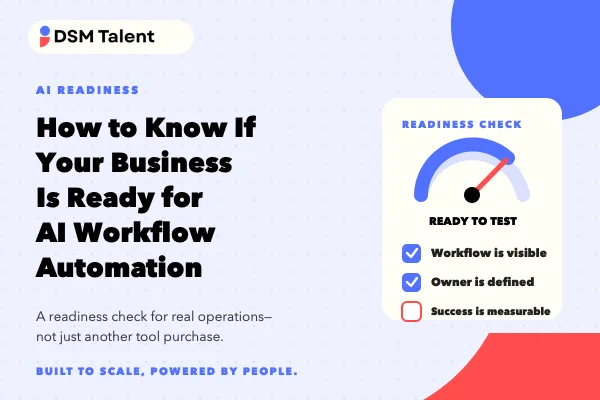
AI Readiness Assessment Checklist
Print this checklist and walk through each item with your core team. Mark “Ready,” “Partial,” or “Not Ready.” Only proceed when the majority are “Ready.”
Repeatable, rule‑based tasks identified (✓)
All tasks have up‑to‑date SOPs in a shared folder (✓)
Human approval points clearly defined (✓)
Ownership assigned for each workflow (✓)
Data quality checks completed and documented (✓)
Success metrics and scorecards created (✓)
Team member designated as AI system owner (✓)
Basic AI tool training completed (✓)
Change‑management plan drafted (✓)
If any box is unchecked, schedule a short improvement sprint before launching automation.
Decision Rule: Move Forward or Pause
Use this simple rule of thumb:
If you have at least 7 of the 9 checklist items marked “Ready,” schedule a discovery call with an AI Systems Specialist.
If you have 4‑6 items “Ready,” plan a focused improvement sprint (one week per missing item) and revisit the checklist.
If fewer than 4 items are ready, start with foundational work: SOP creation, data cleanup, or role clarification before any AI investment.
This rule keeps you from over‑investing in tools before the underlying processes are solid.
How DSM Talent Helps You Install an AI Operating System
DSM Talent acts as a strategic growth partner, not a cheap staffing vendor. Our AI Systems Specialist service installs the AI operating system first, then trains your existing executive assistant or defines the hiring path for the person who will own the system. The process includes:
Fit conversation to confirm business goals and current workflow health.
Deep workflow mapping and readiness review using the checklist above.
Design of the AI operating system: prompts, approval rules, safeguards, and scorecards.
Configuration, testing, and documentation of each automated component.
Hands‑on training for your designated AI system owner (often your EA).
Handoff with clear maintenance instructions and optional ongoing support.
By pairing a proven offshore team of Filipino professionals with a rigorously designed AI system, you gain capacity without adding management overhead.
Next Steps
If the checklist shows you are ready, or if you need help closing the gaps, take the next practical step:
Book an AI Systems Specialist Consultation to discuss a custom installation plan.
Or, take the AI Systems Readiness Quiz to get a quick score and personalized recommendations.
We look forward to helping you build a reliable, scalable offshore team that works hand‑in‑hand with AI to give you more founder capacity and long‑term operational support.


